
browser extension · fetch + XMLHttpRequest
Mock any API response without touching your backend.
- mock
- redirect
- delay
- block
- rewrite
A 100% free extension that intercepts the fetch and
XMLHttpRequest calls a page makes and lets you decide what the API answers.
Write a rule once and it keeps firing on every matching request — without DevTools open,
and without changing a line of code.
- backend: none, and no account
- permissions: 2 in total
- limits: none, no upsell
the page asked
POST /v1/payments
{ "order": "ord_1043", "amount": 240.50 }
rule · Payment declined (502)
- match
- URL contains
/v1/payments - do
- Mock the response
- delay
- 800 ms
network never contacted
the page received
502 Bad Gateway 803 ms
{ "error": "card_declined" }
01 · features
One idea, and everything built on it
A rule says which requests to catch and what to do with them. Scenarios, importers and network simulation are all built on that — there is nothing else to learn.
-
GET /v1/orders 200 mocked
Mock a response
Your own status, headers and body. The request never reaches the network.
-
PATCH /v1/profile 200 rewritten
Change what goes and comes
Rewrite headers, query parameters or one JSON field of the body — or of the real response — and let everything else through untouched.
-
GET /api/v1/* → /api/v2/*
Redirect or block
Send
/api/v1/*to/api/v2/*with one regex rule, repoint a whole environment at another backend, or cut a request off. -
GET /v1/search timeout
Make the network misbehave
Random latency, a real-looking timeout, chaos percentages, a call limit and intermittent failures — the branches your code was written for and never reached.
-
POST /graphql GetCart
Hit exactly what you mean
URL or host, then method, header, request body or calling page. Matching on the body is what lets you mock one GraphQL operation and not the rest.
-
GET /v1/cart 200 · 8 ms
See what actually happened
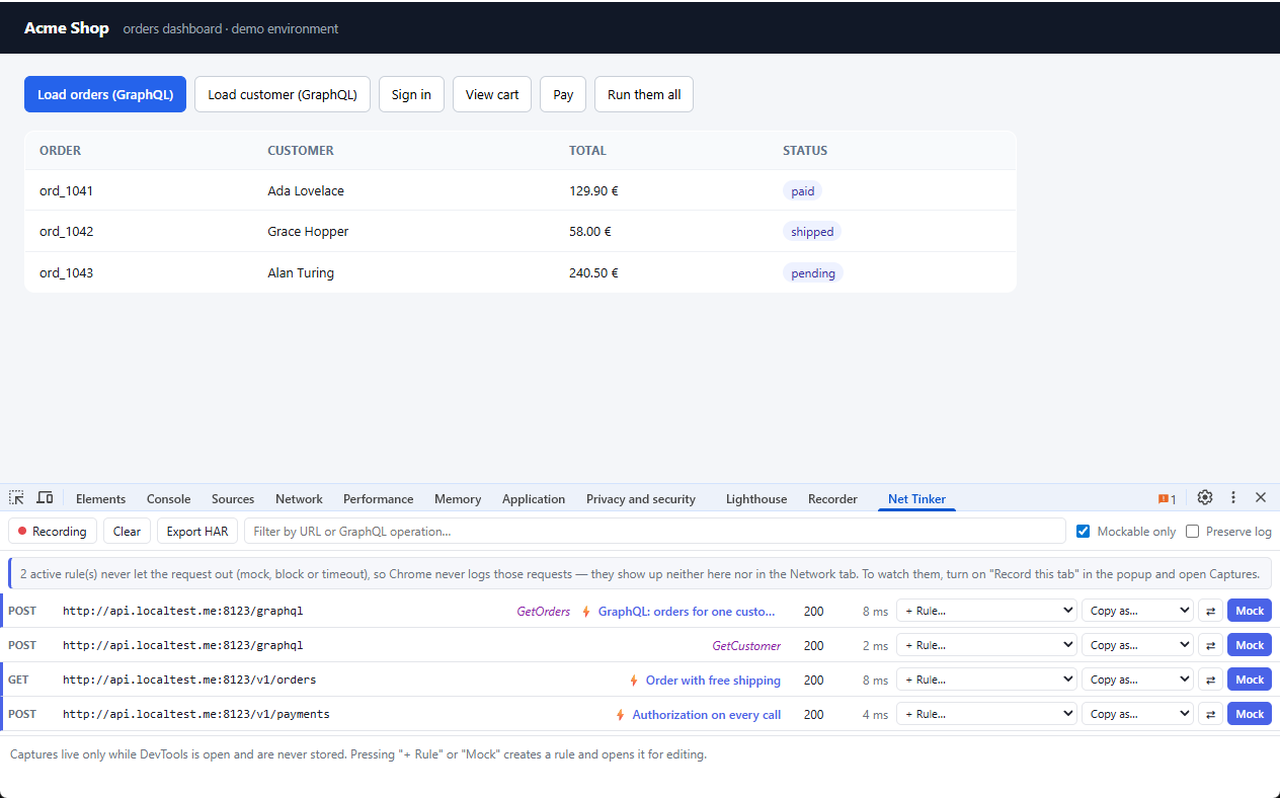
A DevTools panel says what happened to each request, spots repeated calls, times them, searches bodies and compares two responses. One click turns any of them into a rule.
-
POST /v1/auth/login 401 invalid credentials
Switch a whole state
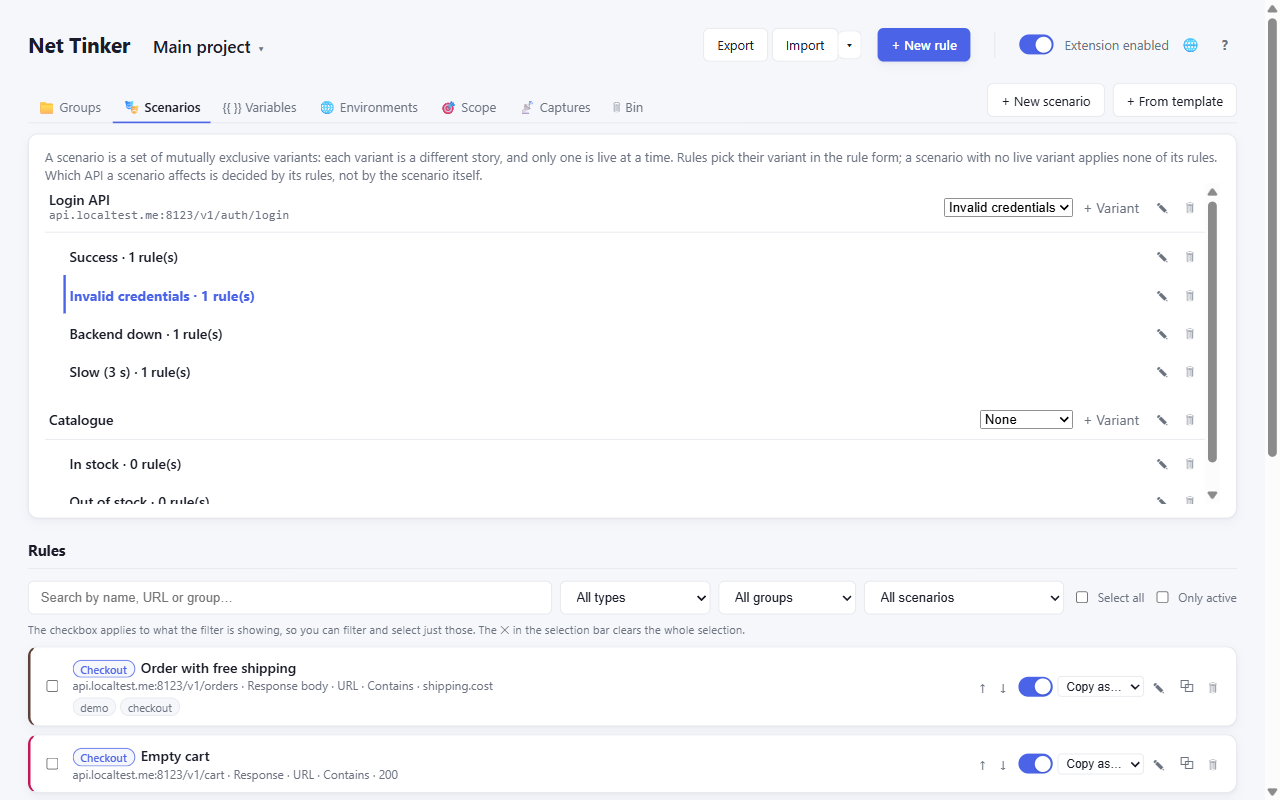
Scenarios hold several variants of one API — Success, Invalid credentials, Backend down — and you pick which is live from the popup. Six come ready-made.
-
GET {{baseUrl}}/v1/me staging
Projects, variables, environments
Keep two clients apart, write
{{variables}}once, and follow the same rules from localhost to staging. -
FILE openapi.yaml 60 rules
Don't type what you have
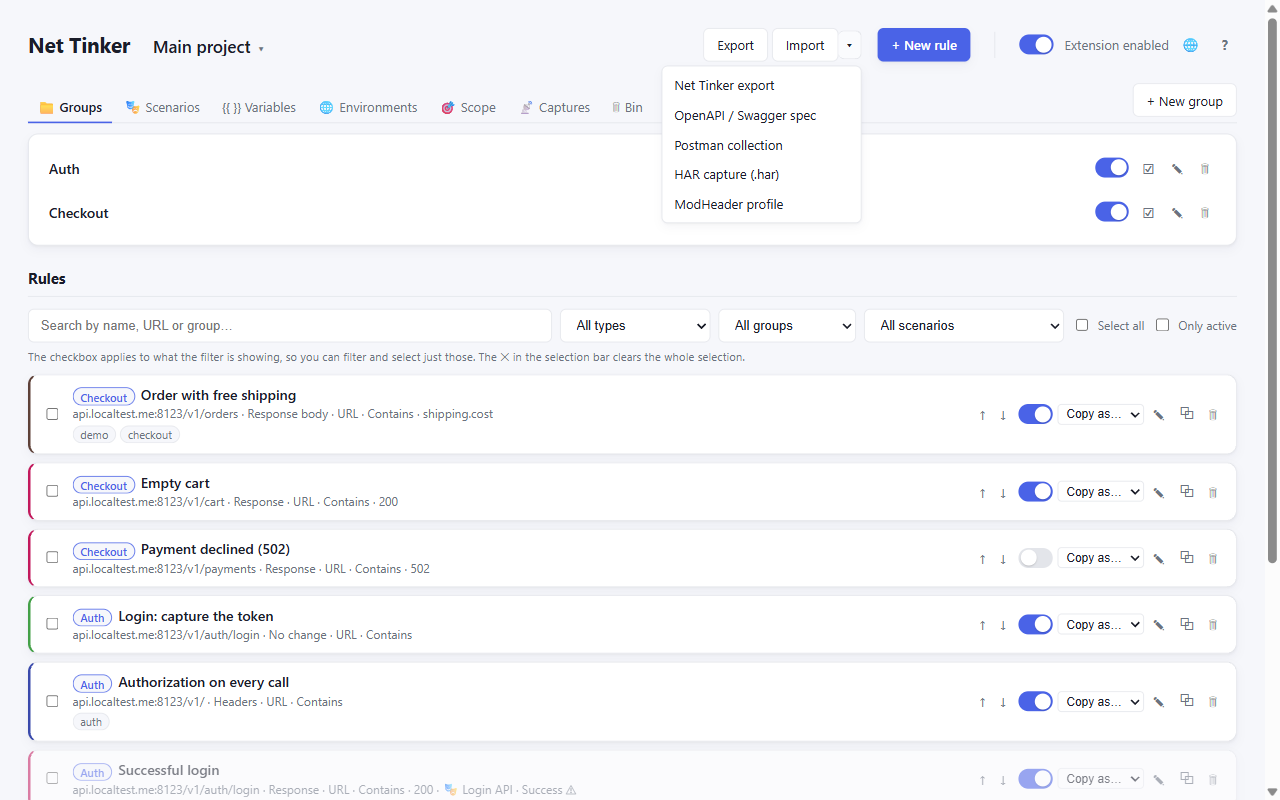
Import OpenAPI, Postman, HAR or ModHeader, or paste a curl. Copy any rule back out as curl, fetch, Playwright, Cypress or TypeScript types.
02 · how it works
Three steps, and the second one is optional
-
Install it
From the Chrome Web Store or Edge Add-ons. No account, no sign-up, nothing to configure.
-
Start from something real optional
Pick a request in the DevTools panel and press Mock, paste a curl, or import your OpenAPI spec. Or write the rule by hand.
-
Reload and see it
The rule fires on every matching request from page load, with or without DevTools open, until you switch it off.
03 · privacy
The privacy argument, in figures
“No account, no server, all local” is what every tool in this space claims, so here are the numbers behind it.
- 2permissions declared: storage and host access
- 0servers, accounts or trackers
- 0third-party libraries inside the package
- 200requests kept, at most, when you record a tab — locally
-
It declares two permissions:
storage, and host access. Nothing else — no tabs, no scripting, no browsing data. The broad host access exists because the extension cannot know in advance which site you will want a rule for. - You can narrow that down whenever you like: everywhere, only on localhost, or only on domains you list. Outside that scope Net Tinker doesn't touch the page at all.
- Recording a tab is the one feature that keeps a log, and only while you have it switched on: the 200 most recent requests of that tab, locally, and one click empties it.
- Nothing third-party ships inside the package, and this website has no analytics either — no scripts, no cookies, no third-party requests.
04 · screenshots
What it looks like
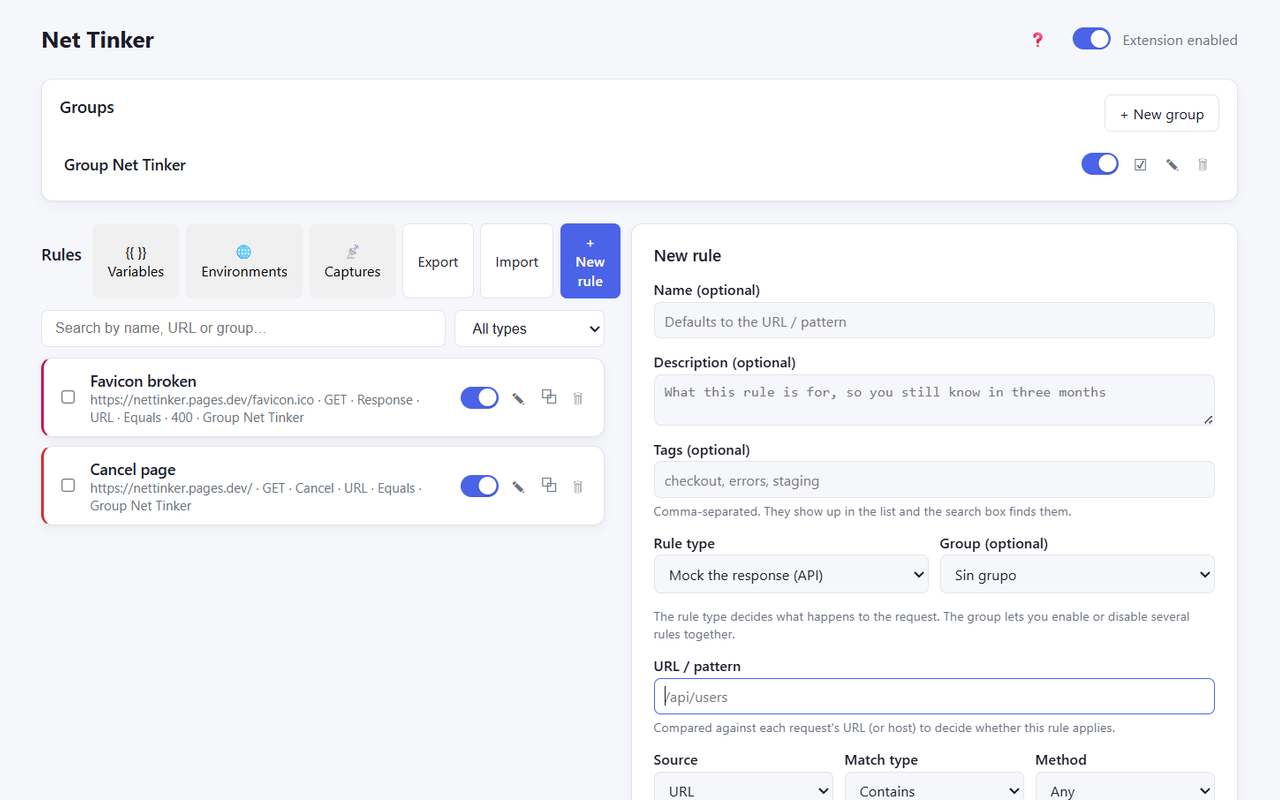
These are the extension as it is today.
05 · faq
Questions people ask
Does DevTools have to be open?
No. Rules run from the moment the page loads, and nothing puts a “this browser is being debugged” banner across your tabs. DevTools is only where you watch the traffic.
Why doesn't my rule touch an image or a page navigation?
Net Tinker acts on the requests a page makes itself with fetch or
XMLHttpRequest. Images, stylesheets, navigations and a site's own service
worker are out of reach, and the DevTools panel says so rather than offering a rule that
would never fire.
Does anything leave my machine?
No. Rules live in your browser's local storage, captured values in session memory, and there is no server to send anything to. This website has no analytics either.
Is there a paid version?
No. Every rule type is free and there is no cap on how many rules you create or keep active.
And Firefox?
The port is in progress. Chrome and Edge are available today.
GET /pricing 404 Not Found
No limits, no upsell
Every rule type is free, and there is no cap on how many rules you create or keep active. That is worth saying plainly, because it is where comparable tools draw their paid line — the best known one stops you at five rules, three of them active at a time.